

eCommerce SEO Checklist (2026)–The Complete 45-Point Audit Framework
In the competitive world of eCommerce, search engine optimization is not optional—it is survival. If your store doesn’t appear in search results, even the best products and site design will fail to convert. An eCommerce SEO audit is the backbone of a growth strategy. It highlights hidden issues, uncovers optimization opportunities, and builds resilience in a landscape where Google, Bing, and AI-driven search assistants evolve daily.
This eCommerce SEO Audit checklist is designed for eCommerce site owners, SEOs, and marketing managers who need a structured, professional roadmap. Unlike generic SEO audits, this checklist is tailored for eCommerce—covering product pages, category structures, schema markup, checkout flows, and advanced AI considerations.
Quick Answer
An eCommerce SEO audit in 2025 is a structured review of your online store’s technical health, content, user experience, and authority signals. It ensures your catalog, categories, and product pages are optimized for Google’s algorithm, AI-powered search engines, and local discovery.
Why an eCommerce SEO Audit Matters in 2026
If you run an eCommerce site, your website is not simple. It has many products, filters, categories, and delivery options. That makes SEO harder than a normal blog or company site.
Without a clear eCommerce SEO foundation, small problems can turn into big revenue losses. Slow pages, poor structure, and unoptimized content can stop your store from ranking. A proper audit helps fix these issues early and keeps your store ready for Google updates, Core Web Vitals, and AI-driven search.
To understand how all of these pieces fit together long term, it helps to look at the broader eCommerce SEO framework, which explains how structure, content, and technical SEO work as a system.
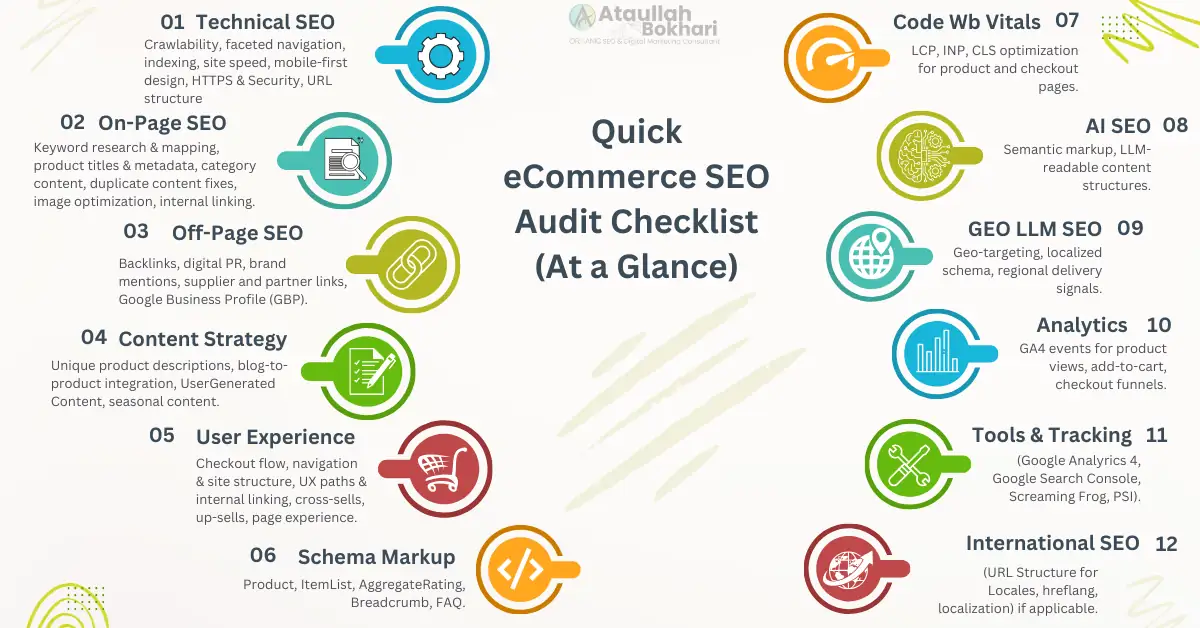
Quick eCommerce SEO Audit Checklist (At a Glance)
- Technical SEO – Crawlability, faceted navigation, indexing, site speed, mobile-first design, HTTPS & Security, URL structure.
- On-Page SEO – Keyword research & mapping, product titles & metadata, category content, duplicate content fixes, image optimization, internal linking.
- Off-Page SEO – Backlinks, digital PR, brand mentions, supplier and partner links, Google Business Profile (GBP).
- Content Strategy – Unique product descriptions, blog-to-product integration, UserGenerated Content, seasonal content.
- User Experience – Checkout flow, navigation & site structure, UX paths & internal linking, cross-sells, up-sells, page experience.
- Schema Markup – Product, ItemList, AggregateRating, Breadcrumb, FAQ.
- Core Web Vitals – LCP, INP, CLS optimization for product and checkout pages.
- AI SEO – Semantic markup, LLM-readable content structures.
- Geo LLM SEO – Geo-targeting, localized schema, regional delivery signals.
- Analytics – GA4 events for product views, add-to-cart, checkout funnels.
- Tools & Tracking (GA4, GSC, Screaming Frog, PSI).
- International SEO (URL Structure for Locales, hreflang, localization) if applicable.
- Pro Tips for eCommerce SEO in 2026
How to Use This eCommerce SEO Audit Checklist
This eCommerce SEO Audit Checklist is built to work in two ways — as a step-by-step framework for a full site audit, or as a reference guide when you need to troubleshoot specific areas like Technical, On-Page, or Off-Page SEO. Each section builds on the last, giving you a clear path to stronger visibility, smoother user experience, and higher conversions.
When to Use This Checklist
- Before a site launch or redesign → to start with a clean SEO foundation.
- Quarterly → to catch issues before they affect rankings and sales.
- After major changes → like platform migrations, theme updates, or adding new product lines.
- During performance drops → to quickly pinpoint technical, content, or backlink problems.
Technical SEO Audit Checklist for eCommerce

Technical SEO is the backbone of every eCommerce site because it determines whether search engines and shoppers can access your store without friction. The Technical SEO Audit Checklist is a professional review of the framework that supports your store’s visibility. Many recurring crawl and indexing problems stem from underlying platform structure. Understanding broader CMS SEO principles helps explain why certain technical issues repeat across large stores. Instead of surface-level checks, this audit identifies structural, performance, and indexing barriers that silently weaken rankings and conversions.
Crawlability & Indexation
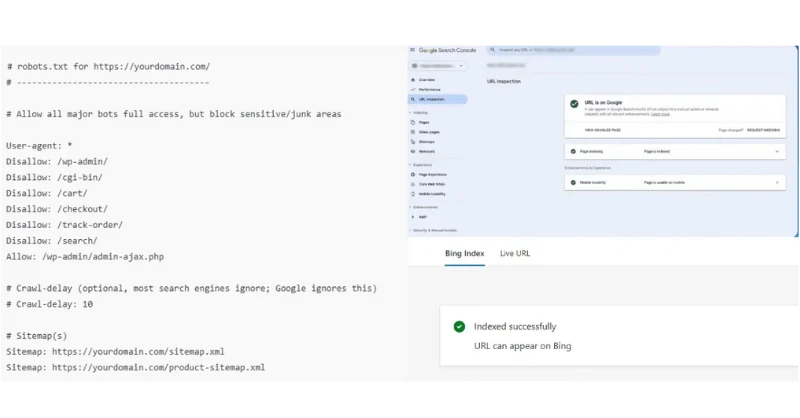
Faceted navigation—like color, size, or price filters—can quietly create thousands of extra URLs. Over time, that wastes crawl budget and spreads ranking signals too thin. A proper audit should look for crawl traps, clean up 4xx and 5xx errors, apply the right canonicals, and make sure product and category pages are actually indexable in Google Search Console and Bing Webmaster Tools.
Platform behavior matters a lot here. On Shopify especially, collections, filters, and internal links have a big impact on how pages get crawled. I’ve broken this down in more detail in my Shopify SEO guide, where I explain how Shopify handles crawl and indexation as stores grow.
Quick Checks:
- Detect and resolve crawl traps from faceted navigation
- Fix 4xx/5xx errors and redirect loops
- Apply canonical tags on duplicate or parameterized URLs
- Review robots.txt for unintended Disallow rules
- Confirm priority URL indexation in Google Search Console & Bing Webmaster Tools
Site Speed & Core Web Vitals (Technical Optimization)

Slow product pages hurt rankings, conversions, and user trust. An audit should ensure product and checkout pages load in under three seconds, meet Core Web Vitals thresholds, and deliver a smooth mobile-first experience. Use tools like Google PageSpeed Insights, Lighthouse, and Bing Site Scan to validate improvements.
Quick Checks:
- Compress and convert product images to WebP/AVIF
- Enable caching and a global CDN for faster delivery
- Lazy-load below-the-fold images and assets
- Remove unused scripts and styles
- Confirm product and checkout pages meet Core Web Vitals (LCP, INP, CLS)
- Validate results in Google PageSpeed Insights, Lighthouse, and Bing SEO Site Scan
Mobile Experience
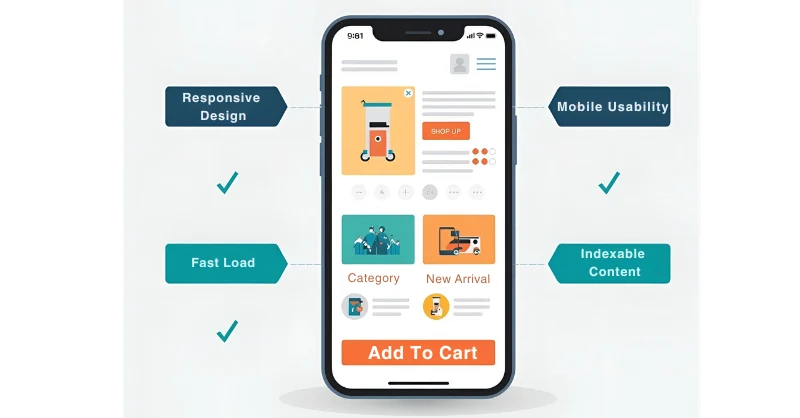
Most eCommerce traffic comes from mobile, so an audit should confirm the site is responsive, tap-friendly, and free from intrusive pop-ups. Critical flows like search, add-to-cart, and checkout must work smoothly on real devices.
Quick Checks:
- Confirm responsive layouts across devices and screen sizes
- Ensure tap-friendly buttons and forms (min. 44px touch targets)
- Audit mobile navigation and search functionality
- Test add-to-cart and checkout flows on multiple devices
- Remove or minimize intrusive pop-ups/interstitials
- Validate mobile usability in Google Search Console & Bing Webmaster Tools
HTTPS & Security
Security is critical for eCommerce sites. An audit should inspect whether HTTPS is enforced, payment gateways are PCI DSS compliant, mixed content issues do not exist, and the platform and plugins are kept updated to prevent vulnerabilities.
Quick Checks:
- Verify HTTPS is active and site-wide
- Confirm PCI DSS compliance for payment gateways
- Check for mixed content (HTTP assets on HTTPS pages)
- Ensure SSL certificates are valid and auto-renewing
- Keep platform, plugins, and themes updated
- Review security headers and server configurations
- Monitor Google Search Console & Bing Webmaster Tools for security warnings
URL structure
Clean, descriptive, and hyphenated URLs improve both SEO and user experience. An audit should confirm logical siloing (Home → Category → Subcategory → Product), eliminate orphan pages, and prevent crawl traps from faceted parameters using canonical tags or search engine parameters.
Quick Checks:
- Use clean, keyword-rich, hyphenated URLs (e.g.,
/men/running-shoes/) - Maintain a logical silo structure for categories and products
- Detect and resolve orphan pages
- Prevent crawl traps from faceted/parameterized URLs
- Apply canonical tags or set parameter rules in GSC & Bing Webmaster Tools
- Ensure consistency between internal links and canonical URLs
Fixing crawlability, speed, and indexation issues is where expertise pays off. Work with an experienced eCommerce SEO consultant to ensure technical improvements drive measurable results.
On-Page SEO Audit Checklist for eCommerce
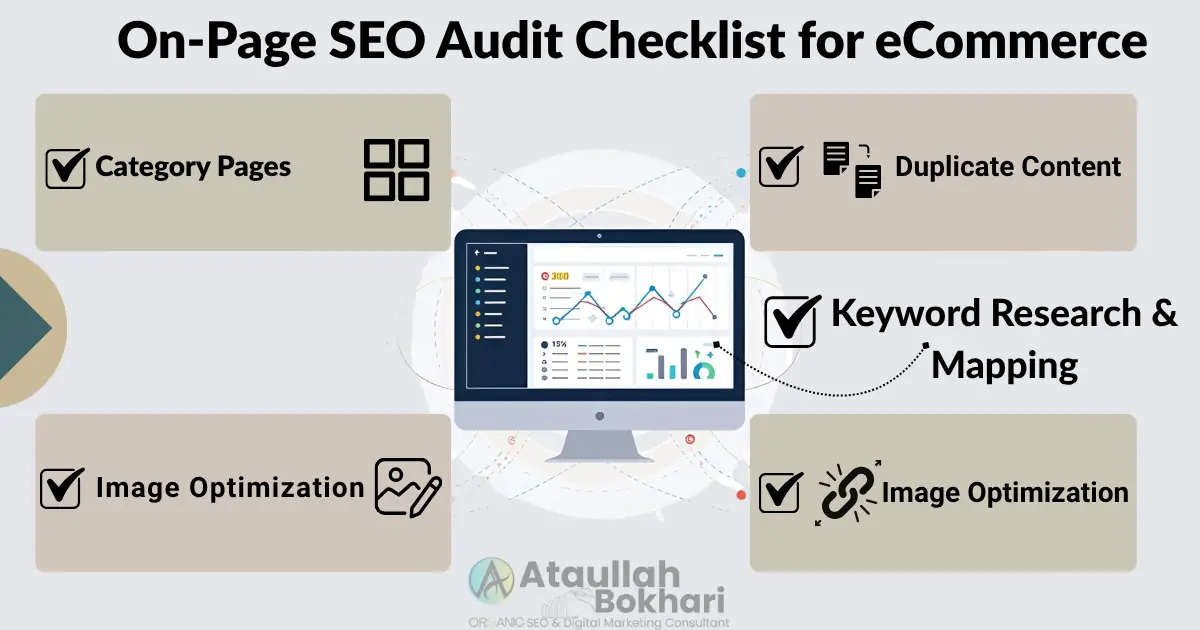
On-page SEO is the voice of every eCommerce site because it defines how products and categories speak to search engines and shoppers. The On-Page SEO Audit Checklist for eCommerce is a structured review of keywords, content quality, and internal linking to ensure every page is relevant and clear. More than keyword placement, it enhances page experience, builds engagement, and drives conversions by making your store search-friendly and customer-friendly.
Keyword Research & Mapping
Effective audits go beyond tracking rankings — they ensure keywords are mapped to the right URLs. In 2025, this means aligning category head terms with long-tail modifiers, building intent-based landing pages, and running competitor gap analysis to uncover missed opportunities.
Quick Checks:
- Update keyword research for 2026 trends and intent shifts
- Map primary and secondary keywords to specific URLs
- Target both category head terms and long-tail modifiers
- Create or optimize intent-aligned landing pages
- Run competitor keyword gap analysis to find missed opportunities
- Ensure each product page has:
- Unique title tag (~55–60 characters)
- Meta description (~120–155 characters)
- Descriptive ALT text for images
- Replace manufacturer content with persuasive, benefit-driven copy and a soft CTA
Category Pages
Category pages should include keyword-rich intro content and act as hubs for users and search engines. An audit should evaluate at least 150–300 words of unique copy and ensure strong internal linking to popular subcategories.
Quick Checks:
- Add 150–300 words of keyword-rich, unique intro copy on category pages
- Ensure content is valuable and not stuffed with keywords
- Use internal linking to highlight popular subcategories
- Check that category pages target head terms and long-tail variations
- Apply breadcrumb navigation for clear hierarchy
- Confirm category pages are included in XML sitemaps and indexed in Google & Bing
Duplicate Content
Product variations (color, size, style) often create thin or duplicate pages that can hurt SEO. An audit should guarantee the use of canonical tags or dynamic rendering and ensure proper header structure, such as exactly one H1 with the target keyword and H2s/H3s to organize supporting content.
Quick Checks:
- Detect duplicate/thin content from product variations
- Apply canonical tags to preferred product pages
- Use dynamic rendering or structured attributes to consolidate variations
- Ensure exactly one H1 per page with the product or category keyword
- Use H2s/H3s to organize supporting content logically
- Check headings for keyword alignment and readability
Image Optimization
Optimized product images improve site speed, rankings, and conversions. An audit should detect that images are compressed, resized, and named descriptively, and use ALT text and modern formats like WebP or AVIF.
Quick Checks:
- Compress/resize images for faster load times
- Use descriptive filenames with keywords (e.g.,
running-shoes-blue.webp) - Add specific ALT text for accessibility and SEO
- Implement lazy-loading for below-the-fold images
- Serve images in modern formats (WebP/AVIF)
- Audit oversized images flagged by Google PSI & Bing Site Scan
Internal Linking
Strong internal linking helps distribute authority and guide shoppers through your store. An audit should check descriptive anchors connecting products and categories, blogs linking to commercial pages, and breadcrumbs preventing orphan pages while avoiding excessive, low-value link blocks that dilute authority.
Quick Checks:
- Use descriptive, keyword-rich anchor text
- Link products ↔ categories with contextual anchors
- Add breadcrumbs for hierarchy and navigation
- Insert contextual links from blogs/guides to commercial pages
- Detect and fix orphan pages
- Avoid excessive, low-value link blocks in templates, sidebars, or footers
Optimizing category pages and product descriptions takes more than just keywords. When done properly, on-page SEO helps turn visibility into real buying intent—especially for large eCommerce catalogs. This approach reflects how I work as an eCommerce SEO Consultant, focusing on structure, relevance, and conversion together.
Internal linking also becomes more complex on platforms like Shopify as catalogs grow. The way authority flows between collections and products isn’t always obvious, which is why I’ve outlined those patterns in my Shopify SEO framework.
Content Strategy Audit for eCommerce SEO
Content fuels every eCommerce site by connecting your products with search intent and buyer needs. A Content Strategy Audit for eCommerce is a structured review of product descriptions, category copy, blogs, and user-generated content to ensure they align with keywords and customer expectations. Strong content builds authority, improves discoverability, and drives conversions by turning information into a growth asset.
Product Descriptions
Unique, benefit-driven product descriptions improve rankings and conversions. An audit should affirm that each page includes features, benefits, and FAQs with rich content that avoids duplicate penalties by replacing thin or manufacturer copy with persuasive, original text.
Quick Checks:
- Replace manufacturer copy with unique, benefit-driven descriptions
- Highlight product features, benefits, and value propositions
- Add FAQs where relevant for buyers and search engines
- Ensure each product page avoids thin or duplicate content
- Use rich content to prevent duplicate penalties
- Maintain consistency in tone, CTAs, and keyword targeting
- Check word count balance (not too thin, not keyword-stuffed)
Category Content
Category hubs should provide context for both shoppers and search engines. An audit should confirm at least 150–300 words of keyword-rich intro copy that guides users, explains product ranges, and supports SEO with internal links.
Quick Checks:
- Add 150–300 words of keyword-rich, unique intro copy
- Ensure category content explains product ranges clearly
- Guide shoppers toward subcategories and best-sellers
- Add internal links to popular subcategories or key products
- Include category-level FAQs if relevant for long-tail queries
- Verify category content is crawlable and indexable in Google & Bing
Blog Strategy
Blogs should support commercial pages by targeting TOFU, MOFU, and BOFU queries. An audit should recheck blog post links internally to categories or products, refresh stale content, and prioritize updates on top-traffic and revenue-driving URLs.
Quick Checks:
- Publish TOFU, MOFU, and BOFU content to support commercial pages
- Add contextual internal links from blogs to categories and products
- Use examples like “best [product] in 2025” to link to category pages
- Refresh stale posts and repurpose older content for 2025 updates
- Prioritize optimization of top-traffic and revenue-driving blogs
- Check that blog posts target long-tail and intent-aligned keywords
UserGenerated Content (Reviews & Q&A)
UGC builds trust and improves long-tail visibility when handled correctly. An audit should detect that reviews and Q&A sections are crawlable, aggregate ratings are implemented where eligible, and moderation practices prevent spam.
Quick Checks:
- Enable crawlable reviews and Q&A on product pages
- Implement aggregate ratings schema where applicable
- Moderate UGC to prevent spam or duplicate content
- Encourage reviews for top sellers and high-margin products
- Surface user Q&A for common product questions
- Ensure UGC is balanced with editorial content for SEO
Seasonal Updates
Seasonal SEO helps capture spikes in demand around events. An audit should evaluate that landing pages and content are updated ahead of time, with seasonal keywords, offers, and structured data aligned to search trends.
Quick Checks:
- Create or refresh landing pages for seasonal events
- Add seasonal keywords and time-sensitive offers to category and product pages
- Update metadata, banners, and CTAs for seasonal relevance
- Implement schema for promotions and events where applicable
- Republish or resurface past seasonal blog posts with updated content
- Track seasonal performance in Google Search Console & Bing Webmaster Tools
Off-Page SEO Checklist For eCommerce
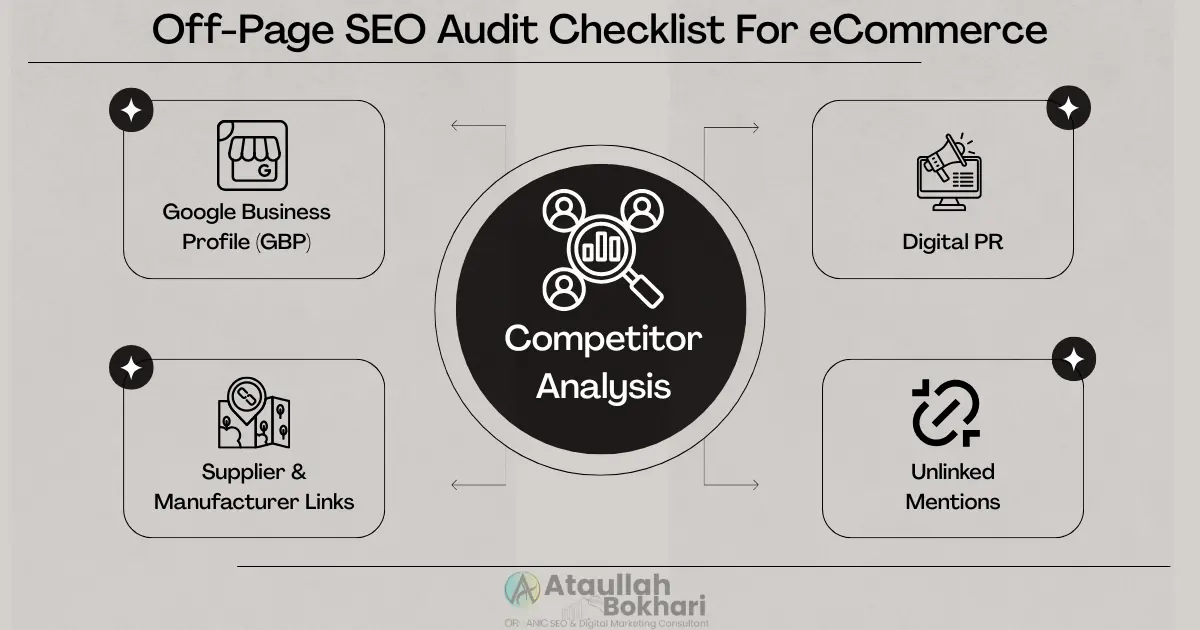
Off-page SEO is the authority engine of every eCommerce site because it signals trust and relevance beyond your pages. The Off-Page SEO Audit Checklist for eCommerce reviews backlinks, digital PR, unlinked mentions, and directory signals that define your brand’s credibility in search. Strong authority signals lift rankings, expand reach, and attract targeted traffic that converts.
Supplier & Manufacturer Links
Backlinks from suppliers, manufacturers, and brand partners provide highly relevant authority for eCommerce sites. An audit should verify these opportunities are secured and that anchor text aligns with your core products and categories.
Quick Checks:
- Request backlinks from suppliers and manufacturers listing your business
- Ensure backlinks point to category or product pages, not just the homepage
- Use descriptive anchor text aligned with target keywords
- Audit existing supplier links for quality and relevance
- Monitor backlinks in Google Search Console, Bing Webmaster Tools, and Ahrefs/Semrush
Digital PR
Digital PR earns high-authority backlinks by showcasing unique insights and product data. An audit should confirm campaigns highlight trends, reports, or brand stories that attract press and industry coverage.
Quick Checks:
- Launch campaigns highlighting trends, reports, or proprietary product data
- Pitch stories to relevant journalists, bloggers, and industry sites
- Create shareable assets (infographics, studies, guides)
- Track backlinks and brand mentions from PR efforts
- Monitor referral traffic and conversions from PR-driven links
- Evaluate competitor PR strategies for inspiration
Unlinked Mentions
Unlinked brand mentions represent missed opportunities for backlinks and authority. An audit should highlight that these mentions are tracked and converted into backlinks pointing to relevant category or product pages, and that social profiles are updated and consistent with site branding.
Quick Checks:
- Monitor brand mentions using Ahrefs, Semrush, or Google Alerts
- Identify unlinked mentions on blogs, news sites, and forums
- Reach out to site owners with polite backlink requests
- Recommend linking to the most relevant category or product page
- Keep social profiles updated and consistent with site branding
- Track conversions of outreach into live backlinks
- Audit competitor mentions for potential backlink opportunities
Google Business Profile (GBP)
Local visibility matters even for eCommerce brands. An audit should confirm your Google Business Profile is claimed, verified, and optimized with accurate details, photos, and reviews that strengthen trust and geo-relevance.
Quick Checks:
- Claim and verify your Google Business Profile
- Ensure consistent NAP (Name, Address, Phone) details
- Add service areas, delivery zones, or store locations if applicable
- Upload branded photos and product images
- Collect, monitor, and respond to customer reviews
- Post updates or promotions regularly to keep the profile active
- Confirm profile insights match your local SEO goals
Your Google Business Profile is a key local ranking factor. Work with Local SEO Expert Ataullah Bokhari to ensure it’s fully optimized for visibility and conversions.
Competitor Analysis
Competitor research uncovers backlink and visibility gaps that your store can close. An audit should track competitor backlinks and review them with tools like Ahrefs or Semrush, including sources such as lists, blogs, and suppliers. It should also pursue quick-win opportunities like directories and broken-link building.
Quick Checks:
- Audit competitor backlinks using Ahrefs, Semrush, or Moz
- Analyze competitor link sources (lists, blogs, suppliers, industry sites)
- Pursue inclusion in niche and industry directories
- Identify and reclaim opportunities via broken-link building
- Track competitor partnerships and sponsorship listings
- Benchmark domain authority and traffic trends against competitors
- Document recurring backlink patterns for long-term strategy
User Experience & Conversion Audit for eCommerce SEO

User experience is the heartbeat of every eCommerce site because it determines how easily shoppers can browse, trust, and buy. A UX & Conversion Audit for eCommerce reviews navigation, site structure, checkout flows, and engagement paths to identify friction points that block sales. Optimizing these areas improves satisfaction, builds trust, and converts more visitors into loyal customers.
Navigation & Site Structure
Clear navigation and logical site structure help search engines and shoppers discover products. An audit should uncover intuitive, crawlable menus, categories, and breadcrumbs that are aligned with priority keywords and free from JS errors or broken UI elements that block discovery.
Quick Checks:
- Review top navigation menus for clarity and keyword relevance
- Confirm category hierarchies are logical and crawlable
- Add breadcrumb navigation for hierarchy and UX
- Check internal links between categories, subcategories, and products
- Detect and fix deep pages buried beyond 3–4 clicks
- Fix JS errors (console checks on key templates; resolve script conflicts)
- Repair broken UI (filters, variant selectors, add-to-cart, pagination, mega-menus)
- Validate navigation in both desktop and mobile experiences
-
Ensure XML/HTML sitemaps reflect current site structure
UX Paths & Internal Linking
Smooth navigation is critical for both shoppers and search engines. An audit should ensure layout shifts (CLS) are minimized, intrusive pop-ups are avoided on mobile, and related products or collections are added to support smooth paths between products, categories, and supporting content.
Quick Checks:
- Minimize layout shifts (CLS) with reserved media dimensions
- Avoid intrusive pop-ups, especially on mobile devices
- Add related products or collections for smooth navigation
- Ensure products link logically back to categories and subcategories
- Add contextual internal links from blogs/guides to commercial pages
- Detect and fix orphan pages through improved linking
- Check anchor text for descriptive, keyword-rich context
Checkout Flow
A seamless checkout reduces abandonment and builds trust. An audit should confirm steps are minimized, multiple payment options and trust badges are in place, shipping and returns are clear, contact details are visible, the flow is smooth across devices, and promotions are kept current.
Quick Checks:
- Minimize steps to conversion (enable guest checkout, reduce unnecessary fields)
- Provide multiple payment options (cards, PayPal, wallets, BNPL)
- Display trust badges and ensure shipping/return policies are clear
- Show visible contact details during checkout (chat, phone, email)
- Validate a smooth checkout flow across devices without errors or friction
- Keep promos, coupons, and discounts updated and functional
- Test payment gateways for PCI DSS compliance and reliability
- Confirm checkout pages load fast and meet Core Web Vitals
Product Recommendations
Cross-sells and up-sells increase basket size and revenue. An audit should highlight that related products and collections are displayed contextually, enhance navigation, and are implemented with SEO-friendly markup and internal links.
Quick Checks:
- Add cross-sell and up-sell modules on product and cart pages
- Display related products or collections based on context (category, attributes, purchase history)
- Ensure recommendations link back with descriptive, keyword-rich anchors
- Implement structured data (Product, ItemList) for SEO visibility
- Test recommendation widgets for speed, mobile responsiveness, and no JS errors
- Track engagement and conversion rates from recommended products
- Avoid duplicate or irrelevant product suggestions
Experience
Page experience signals directly affect rankings and conversions. An audit should check that images are optimized, JavaScript main thread work is minimized, and layout space is reserved to prevent shifts that disrupt shoppers.
Quick Checks:
- Optimize images for compression, format (WebP/AVIF), and sizing
- Reduce JavaScript main thread work by deferring or async-loading non-critical scripts
- Reserve layout space for ads, banners, and media to minimize CLS
- Ensure fonts load efficiently (preload or swap) to avoid visual shifts
- Validate Core Web Vitals (LCP, INP, CLS) on product and checkout pages
- Test across browsers/devices for consistent performance
Core Web Vitals & UX Impact
Core Web Vitals directly impact SEO and user experience. An audit should ensure that Largest Contentful Paint (LCP) is under 2.5s, Interaction to Next Paint (INP) is under 200ms, and Cumulative Layout Shift (CLS) is under 0.1 for at least 75% of visits — especially on checkout and high-traffic product pages.
Quick Checks:
- Track LCP (<2.5s), INP (<200ms), and CLS (<0.1) via Google Search Console & CrUX
- Confirm metrics hold for 75%+ of page loads
- Test performance specifically on checkout and high-traffic product pages
- Optimize images, scripts, and fonts to improve LCP and INP
- Reserve layout space for banners, ads, and media to prevent CLS
- Validate Core Web Vitals using PageSpeed Insights, Lighthouse, and Bing Site Scan
- Monitor improvements via real-user monitoring (RUM) tools
Schema Markup for eCommerce SEO
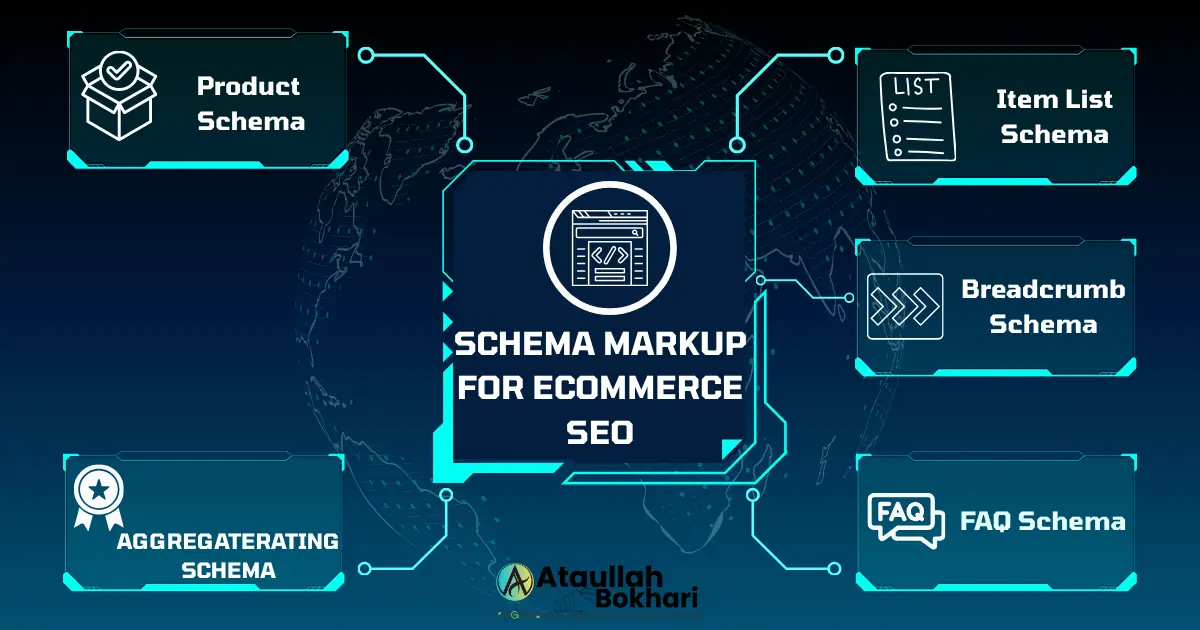
Schema markup language helps search engines understand every detail of your eCommerce site, from products to reviews. A Schema Audit for eCommerce ensures your structured data is implemented correctly across products, categories, and FAQs. Proper schema increases visibility with rich snippets, improves click-through rates, and builds trust by showing users clear, data-rich search results.
Product Schema
Product schema helps search engines and AI systems interpret product details for rich results. An audit should validate markup, including name, description, price, image, SKU, brand, offers (price, currency, availability), and reviews (aggregate rating) where applicable, and that all data is validated with the Rich Results Test.
Quick Checks:
- Include name, description, image, SKU, brand in Product schema
- Add offers with price, currency, and stock availability
- Implement aggregateRating and reviews when applicable
- Confirm schema matches visible on-page product content
- Validate with Google’s Rich Results Test and Bing Markup Validator
- Monitor schema enhancements in Google Search Console
- Fix any warnings or errors flagged in testing tools
Item List Schema
The ItemList schema helps search engines and AI understand collections of products on category pages. An audit should validate that it is applied to category and search result pages to showcase structured lists of items with proper linking and metadata.
Quick Checks:
- Apply ItemList schema to category and collection pages
- Include product name, URL, position, and image for each listed item
- Ensure internal linking between category pages and product detail pages
- Validate schema using Google Rich Results Test & Bing Markup Validator
- Confirm schema data matches visible category content
- Monitor performance in Google Search Console enhancements reports
- Use ItemList schema for paginated series where applicable
AggregateRating Schema
Breadcrumb Schema
Breadcrumb schema improves navigation for users and search engines by clarifying product hierarchies. An audit should validate that BreadcrumbList is implemented on all category and product pages, with links reflecting the true site structure.
Quick Checks:
- Add
BreadcrumbListschema to category and product pages - Ensure breadcrumbs follow logical hierarchy (Home → Category → Subcategory → Product)
- Match schema markup with visible breadcrumb links on-page
- Validate using Google Rich Results Test & Bing Markup Validator
- Confirm breadcrumb schema is present in XML sitemaps for consistency
- Monitor “Breadcrumbs” enhancements in Google Search Console
FAQ Schema
FAQ schema enhances visibility in SERPs by expanding listings with Q&A. An audit should validate that the FAQ schema is used where genuine Q&A content exists and is aligned with on-page FAQs.
Quick Checks:
- Add
FAQPageschema where Q&A content is present (blogs, product pages) - Ensure each question/answer pair matches visible on-page text
- Use concise, answer-focused language for better snippet chances
- Validate with Google Rich Results Test & Bing Markup Validator
- Monitor FAQ performance in Google Search Console enhancements
- Avoid spammy or irrelevant Q&A markup
International SEO For eCommerce (If Applicable)
International SEO is the framework that allows eCommerce sites to scale across markets by making content accessible in multiple languages and regions. An International SEO Audit reviews URL structures, hreflang tags, and localized content to ensure the right version of your store appears in the right country’s search results. Optimizing these elements prevents duplication issues, strengthens global visibility, and improves user experience for international shoppers.
URL Structure for Locales
International sites need a clear URL framework for each market. An audit should confirm country or language versions, use a consistent approach (ccTLDs, subdomains, or subfolders), and avoid mixing languages along the same path.
Quick Checks:
- Standardize international structure (ccTLD, subdomain, or subfolder)
- Ensure each locale’s content is kept in its own URL path
- Avoid mixing multiple languages in the same URL structure
- Verify canonicalization aligns with localized pages
- Check Google Search Console’s International Targeting settings
- Confirm Bing Webmaster Tools recognizes the correct locale setup
- Include localized sitemaps where necessary
Hreflang Implementation
Hreflang tags guide search engines to the correct language and regional versions of your site. An audit should confirm hreflang is implemented with reciprocal, self-referencing tags, correct ISO codes, and canonicals aligned with each localized page.
Quick Checks:
- Add hreflang attributes for each language/region variation
- Use correct ISO 639-1 (language) and ISO 3166-1 Alpha-2 (country) codes
- Ensure hreflang tags are reciprocal and self-referencing
- Align canonicals with language-specific pages (not cross-language)
- Validate hreflang with Google Search Console’s International Targeting report
- Test in Bing Webmaster Tools for alternate hreflang handling
- Check XML sitemaps also include hreflang annotations
Localized Content & Keywords
Localized content builds relevance in international markets. An audit should confirm that keyword research is run per country, that the copy reflects local terminology and culture, and that the pages use native currency, units, and formats.
Quick Checks:
- Perform keyword research separately for each market or language
- Use native terminology, cultural references, and tone
- Display local currency, units, and shipping details
- Create region-specific content (guides, FAQs, offers)
- Pursue country-specific backlinks and citations
- Ensure metadata and structured data are localized
- Test SERPs in target regions with VPN or location-based tools
For region-specific visibility, working with a Local SEO expert ensures local content and signals are fully optimized.
AI SEO for eCommerce
AI-driven search engines reward semantically structured, machine-readable content. Modern eCommerce SEO must now account for both traditional rankings and AI-based retrieval systems.
An audit should recheck eCommerce pages for schema, semantic headings, and LLM-friendly formatting so that products and guides remain indexable across AI search experiences.
Quick Checks:
- Implement semantic HTML structure (H1–H3 hierarchy, lists, definitions)
- Add structured data (Product, FAQ, Breadcrumb, ItemList)
- Use JSON-LD schema aligned with on-page content
- Ensure content is chunkable for vector databases and AI retrieval
- Write clear, fact-based copy optimized for both users and AI bots
- Validate structured content with Google Rich Results Test & Bing Validator
- Monitor emerging AI search platforms (Google SGE, Bing Copilot) for visibility
Geo LLM SEO for eCommerce
AI search is increasingly location-aware. An audit should inspect an eCommerce site’s use of local schema, citations, and geo-signals so products and content surface in AI-driven, region-specific search experiences.
Quick Checks:
- Add localized schema (LocalBusiness, Place, Organization with geo-coordinates)
- Ensure NAP consistency across directories and citations
- Optimize for “near me” and geo-modified keywords
- Create localized landing pages targeting service areas or regions
- Submit business data to Google Business Profile & Bing Places
- Acquire local backlinks (directories, chambers, regional publishers)
- Track geo-targeted impressions in Google Search Console & Bing Webmaster Tools
- Validate structured data with Google Rich Results Test & Bing Validator
Tools & Tracking for eCommerce Audits
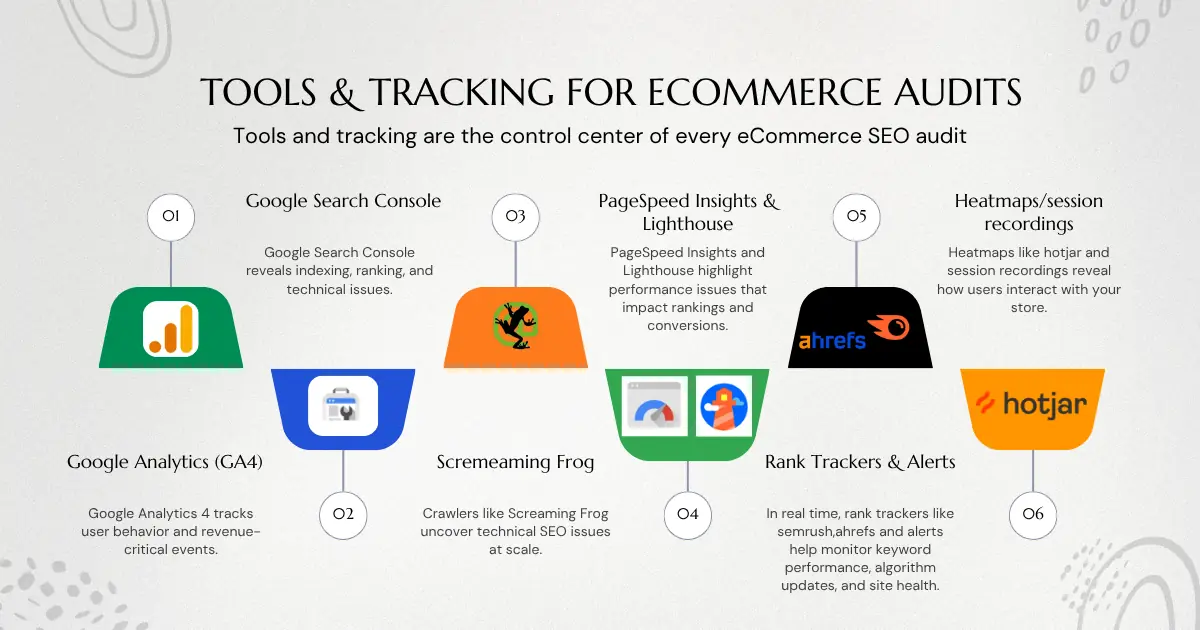
Tools and tracking are the control center of every eCommerce SEO audit because they provide the data that drives decisions. A Tools & Tracking Audit reviews analytics platforms, crawler reports, speed tests, and rank trackers to ensure your insights are accurate and actionable. With the right setup, you can spot issues faster, measure impact with precision, and continuously optimize performance.
Google Analytics 4 (GA4)
Google Analytics 4 tracks user behavior and revenue-critical events. An audit should test that GA4 is correctly set up for eCommerce, tracking product views, add-to-cart actions, checkout steps, and transactions with accurate event tagging.
Quick Checks:
- Verify GA4 is properly installed across all pages
- Confirm eCommerce tracking is enabled (product views, add-to-cart, checkout, transactions)
- Audit event tagging with Google Tag Manager or manual setup
- Ensure revenue, tax, shipping, and refunds are tracked accurately
- Set up custom events for promotions, coupon use, or category-level clicks
- Cross-check GA4 data with order management system for accuracy
- Segment traffic by source/medium to connect SEO with conversions
- Use GA4 Explorations to analyze checkout drop-offs and cart abandonment
Google Search Console (GSC)
Google Search Console reveals indexing, ranking, and technical issues directly impacting eCommerce SEO. An audit should verify that GSC is set up correctly, tracking product and category pages, and reviewing coverage, performance, and enhancement reports regularly.
Quick Checks:
- Verify property is added as a domain property (not just URL prefix)
- Confirm product and category pages are indexed correctly
- Review Coverage reports for crawl errors, soft 404s, and excluded URLs
- Analyze Performance reports for top queries, pages, CTR, and positions
- Monitor Enhancements for Product, Breadcrumb, and FAQ schema
- Track Core Web Vitals reports for LCP, INP, and CLS
- Submit XML sitemaps and validate successful crawling
- Use URL Inspection to check indexation of priority pages
- Compare data with Bing Webmaster Tools for consistency
Crawlers (Screaming Frog, Sitebulb)
Crawlers like Screaming Frog and Sitebulb uncover technical SEO issues at scale. An audit should detect duplicate URLs, metadata problems, internal linking gaps, broken links, and schema errors, and identify and prioritize them for fixes.
Quick Checks:
- Run full-site crawls with Screaming Frog and Sitebulb
- Identify duplicate URLs and near-duplicate content
- Check metadata (titles, descriptions, headings) for gaps or duplicates
- Audit internal links and anchor text distribution
- Detect broken links (4xx, 5xx) and redirect chains
- Validate schema implementation across product and category pages
- Map crawl data against XML sitemaps to find orphan pages
- Export crawl reports for ongoing monitoring and fixes
PageSpeed Insights & Lighthouse
PageSpeed Insights and Lighthouse highlight performance issues that impact rankings and conversions. An audit should analyze Core Web Vitals, speed metrics, and accessibility checks, which are reviewed regularly, with fixes prioritized for product and checkout pages.
Quick Checks:
- Run PageSpeed Insights on category, product, and checkout pages
- Review Core Web Vitals (LCP, INP, CLS) scores and opportunities
- Audit render-blocking scripts, large assets, and server response times
- Use Lighthouse for accessibility, SEO, and best practice audits
- Compare lab data (Lighthouse) with field data (CrUX, GSC)
- Monitor mobile vs. desktop performance separately
- Document recurring issues and track improvements over time
Rank Trackers & Alerts
In real time, rank trackers and alerts help monitor keyword performance, algorithm updates, and site health. An audit should ensure tools are set up to track priority keywords, detect ranking drops, and send alerts for technical or security issues.
Quick Checks:
- Set up rank tracking for priority keywords (homepage, categories, products)
- Segment tracking by device (mobile vs. desktop) and location
- Monitor keyword performance and detect shifts after algorithm updates
- Benchmark competitors’ keyword rankings for visibility gaps
- Configure alerts for sudden ranking drops or traffic losses
- Enable alerts for crawl errors, downtime, or security issues
- Use tools like Ahrefs, Semrush, or AccuRanker for rank monitoring
- Cross-check ranking trends with GSC and Bing Webmaster Tools
- Document ranking performance in regular audit reports
Heatmaps/session recordings
Heatmaps and session recordings reveal how users interact with your store. An audit should confirm that tools are tracking clicks, scrolls, and behaviors and that findings are incorporated into UX and CRO recommendations.
Quick Checks:
- Set up heatmaps and session recordings (Hotjar, Clarity, Crazy Egg, etc.)
- Capture clicks, scroll depth, form interactions, and rage/exit clicks
- Review recordings to detect friction in product discovery and checkout
- Identify elements causing drop-offs, hesitation, or confusion
- Incorporate findings into UX improvements and CRO tests
- Prioritize fixes on high-traffic and checkout pages
- Validate tracking works across devices and browsers
A SEM consultant can connect GA4 insights with Google Ads to accelerate results while you strengthen organic growth.
Pro Tips for eCommerce SEO in 2026
Beyond technical and on-page fixes, Pro Tips ensure your eCommerce store stays competitive in 2025. An audit should affirm you are leveraging AI SEO, localized strategies, and conversion-focused enhancements to stay ahead of algorithm updates and evolving user behavior.
- Lead with E-E-A-T: Use expert bylines, verified merchant details, and transparent policies to build trust.
- Optimize product pages for AI SEO: Implement schema (Product, Review, Offer, AggregateRating, FAQ) and ensure content is LLM-readable.
- Leverage user-generated content (UGC): Encourage crawlable reviews, Q&A, and testimonials; moderate to avoid spam.
- Invest in visual commerce: Add videos, 360° images, and transcripts to improve UX and provide AI with rich multimedia signals.
- Plan seasonal SEO early: Build and refresh landing pages well in advance for Festives and other peak seasons.
- Use Geo LLM SEO signals: Add delivery zones, pickup options, and localized schema for “near me” and AI geo-search visibility.
- Maintain a performance budget: Monitor and improve Core Web Vitals (LCP, INP, CLS).
- Apply behavioral insights: Use heatmaps and session recordings to refine CRO and feed insights into SEO improvements.
- Strengthen structured internal linking: Build content hubs that link blog → category → product pages to distribute authority.
- Track competitor activity: Keep an SEO change log, monitor Google core updates, and map competitor changes to performance shifts.
Final Tip: Even the best SEO audits need expert execution. If you want tailored strategies and hands-on support, work with an eCommerce SEO Consultant to turn these Pro Tips into measurable growth.
FAQs
What is an eCommerce SEO audit in 2026?
An eCommerce with SEO audit in 2025 is a check-up that examines your online store’s technical infrastructure and examines your content, user experience, and authority signals. Unlike a typical SEO audit, this audit touches on product pages, category structure, faceted navigation, checkout flow, and schema markup. The goal is to create a store optimized for Google and AI-powered search engines.
How often should you run an eCommerce SEO audit?
Most eCommerce sites benefit from running a full SEO audit at least twice a year. However, large stores with frequent product updates or seasonal campaigns should audit quarterly. You should also run an audit after major platform changes, site migrations, or when Google rolls out significant algorithm updates.
What tools do I need for an eCommerce SEO audit in 2026?
A professional eCommerce SEO audit requires both free and premium tools. Core essentials include:
- Google Search Console (GSC): Indexation, coverage, and performance reports.
- Google Analytics 4 (GA4): User journeys, conversions, and funnel tracking.
- Screaming Frog or Sitebulb: Technical crawling and duplicate content detection.
- PageSpeed Insights / Lighthouse: Core Web Vitals and performance diagnostics.
- Ahrefs / Semrush: Backlink analysis and competitor keyword gaps.
- Hotjar / Microsoft Clarity: Heatmaps and session recordings for UX insights.
>/div>
What’s new in SEO audits for 2026?
The biggest shift in 2025 is the integration of AI SEO and Geo LLM SEO into audits. Traditional audits covered technical, on-page, and off-page SEO. Now, you must also ensure content is structured for LLMs (large language models) and that your store sends strong geolocation signals for AI-driven search. These factors directly influence whether your products appear in AI-generated answers and local discovery results.
Do I need professional help for an eCommerce SEO audit?
You can start with a free checklist, but eCommerce SEO audits are complex. Issues like crawl traps, faceted navigation, schema implementation, and conversion optimization often require professional expertise. Working with a consultant and expert ensures you identify problems and receive a clear, actionable growth roadmap.
How do Core Web Vitals affect eCommerce SEO in 2026?
LCP, INP, and CLS (Core Web Vitals) are still very important ranking and UX signals in 2025. For eCommerce, these have a direct impact on conversion. A product detail page that loads in under 3 seconds (LCP), acknowledges a click quickly (INP), and remains visually stable (CLS) is both trust-forming and revenue-producing. Audits should check CWV specifically on product and checkout pages, where users are least likely to be patient.
What role does schema markup play in an eCommerce SEO audit?
Schema markup is now a core audit item. For eCommerce, this includes the Product, Offer, Review, AggregateRating, Breadcrumb, and ItemList schema. Proper implementation increases eligibility for rich results, helps AI interpret product data, and improves visibility in Google SERPs and AI-generated recommendations. An audit should verify that the schema is correctly applied, error-free, and synced with on-page content.
How does technical SEO impact conversions in online stores?
Technical SEO goes beyond rankings — it shapes the customer journey. A faster site, secure checkout, and stable mobile experience reduce friction, build trust, and directly increase completed purchases.
Next Steps
Feeling overwhelmed or unsure where to begin?
You don’t need to fix everything at once. Start with the technical issues that block crawling and indexing, then move through on-page structure, internal linking, and schema in order.
If you want a guided plan instead of guessing priorities, you can review my SEO services for online stores and choose the level of support that fits your stage. Otherwise, save this checklist, run it quarterly, and track changes in Search Console so improvements are measurable over time.
References
- Google Search — Helpful Content Guidelines
- Core Web Vitals (web.dev)
- PageSpeed Insights
- Google Search Console
- robots.txt Guidelines
- Sitemaps — Overview
- Mobile-First Indexing Best Practices
- Product Structured Data
- FAQ Structured Data
- Breadcrumb Structured Data
- Hreflang & International Targeting
- GA4 eCommerce Events
- Bing Webmaster Guidelines
- Screaming Frog SEO Spider
- Ahrefs — Keyword Generator
- Moz — Keyword Explorer
